WARM System Modules
The system is widle configurable and some of the common module are listed here. Most are used with the CRM system, but the Vehicle Checks module can be used as a standalone piece of software.
As we start outlining the functionality it may be worth listing a bit of terminology we use.
- User
- The system user.
- Activity
- Any interation taken from within the system, it may be a phone call, a purchase, a visit etc.
- Action
- The action type taken to complete an activity
- Site
- The entity that is the subject the activity
Also, there are some 'ways of working' which are maintained throughout the system.
Summary tables are shown in a default order, but most column headings are 'clickable' and will sort the data in order by that column.
The common modules listed here are:
- The Relationship Manager (CRM)
- The beating heart of WARM - Keeping you on track.
- Waste Collection Requests
- Making it easy to do business with you.
- Planning
- Keeping you efficient.
- Routing
- Keeping your mobile workforce effective.
- Collections.
- Less miles, more collections.
- Deliveries.
- Helping to manage your warehouse.
- Vehicle Checks
- Helping to manage your fleet.
- Reporting
- Keeping you informed.
- Due Diligence
- Keeping you legal.
- Integration
- Making it seamless.
- Environment Agency
- Simple Returns and Compliance.
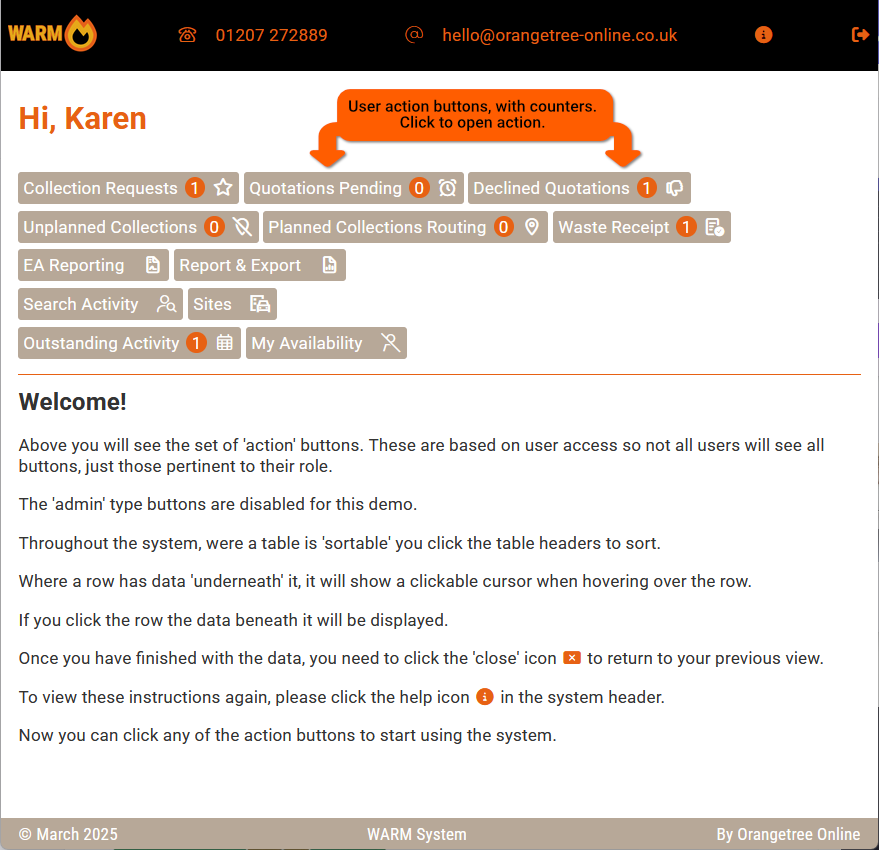
The standard User screen with permitted buttons.
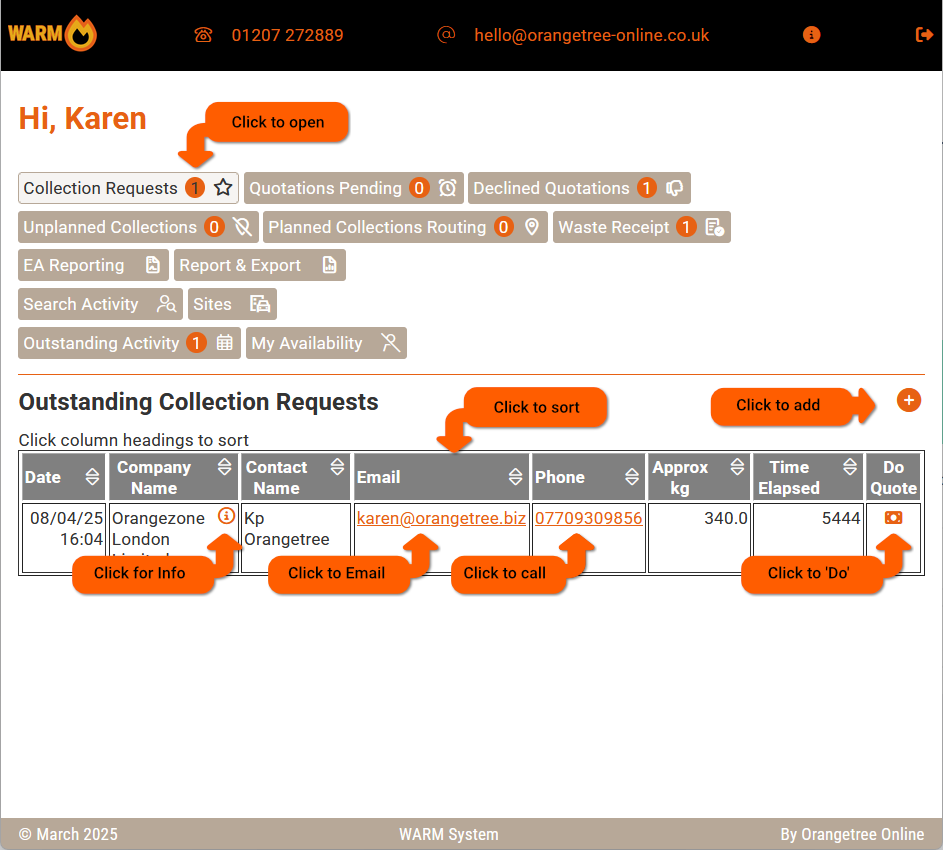
Upon clicking any of the permitted buttons the sortable summery table is displayed. The info symbol , phone number, email address and the 'do' buttons are all clickable.
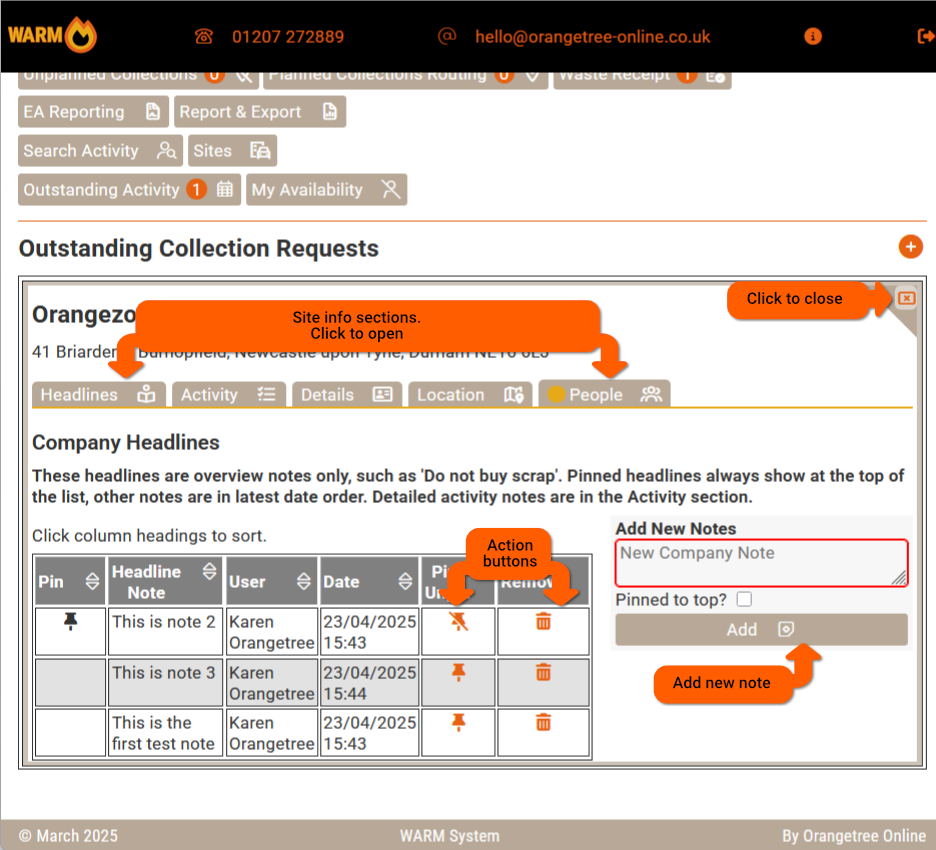
On clicking the info button a tabbed information sreen is displayed. In this case the 'headline' information for a site is displayed. This allows viewing and editing of information. This is closed using the cross in the upper right of the pane.

The activity pane shows the activity archive for the site and allows for outstanding activity to be completed as well as nex activity.
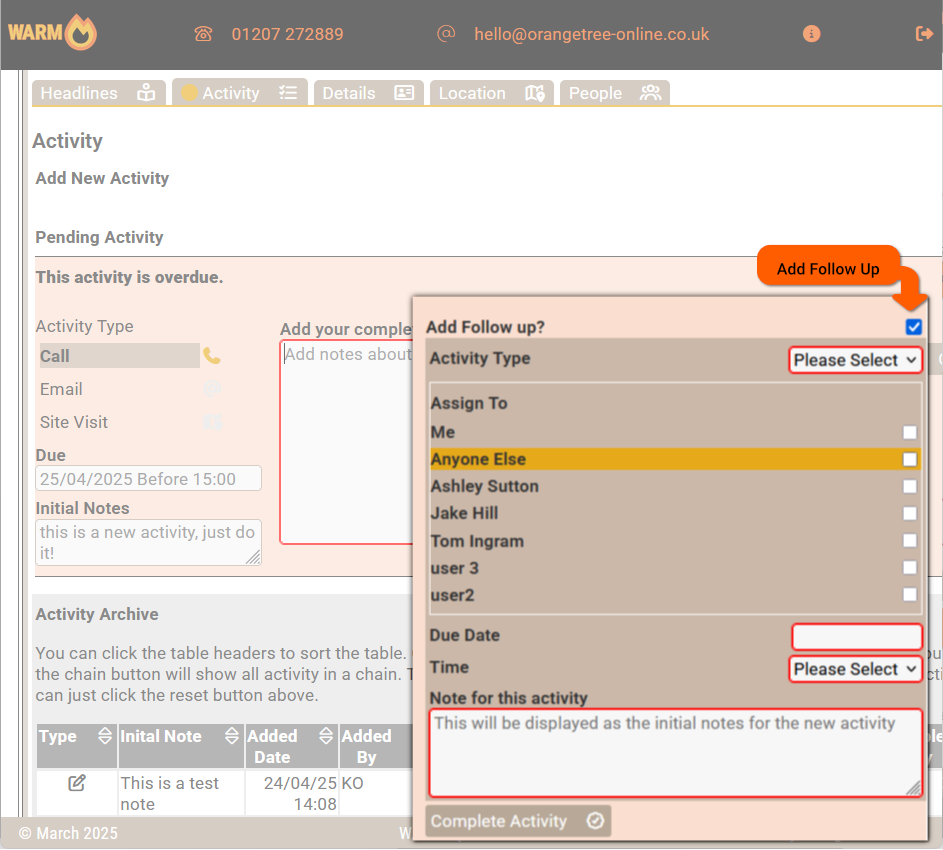
Activity follow up can be added and assigned to start the CRM chain. Activity with not date or no assigned person is then given 'unplanned' status.
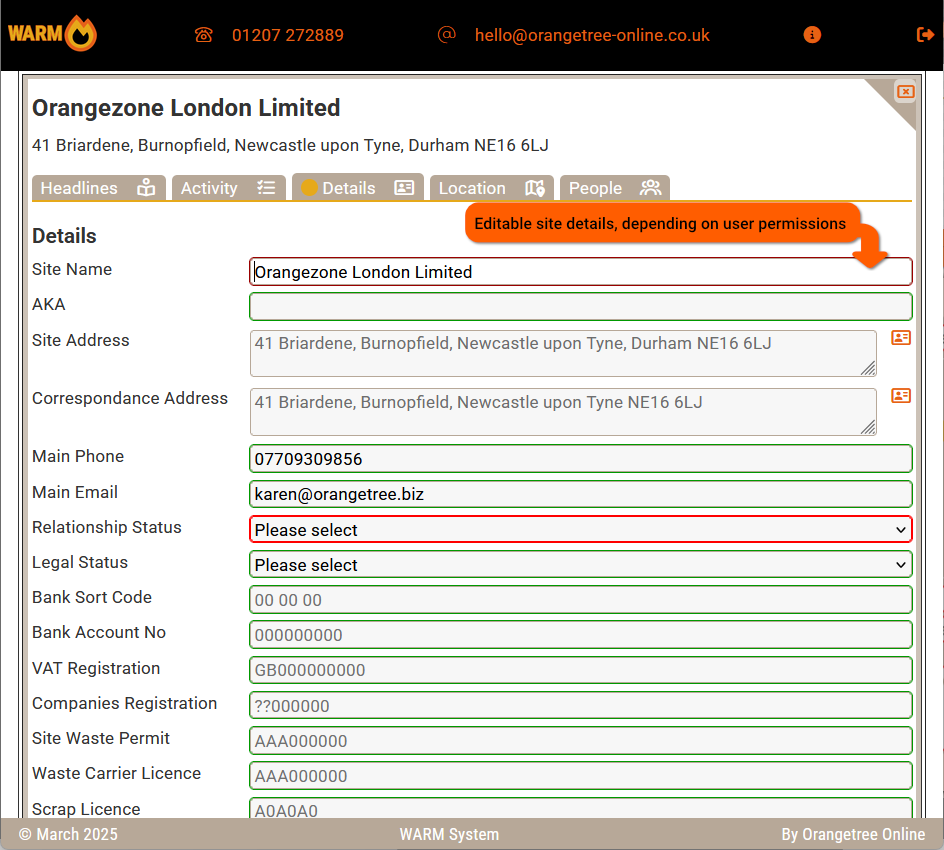
The site details pane then shows and allows editing for the address and classification of sites. The fields of information retained per site is configurable.

The location pane displays all retained access informaton for the site as well as a location map.
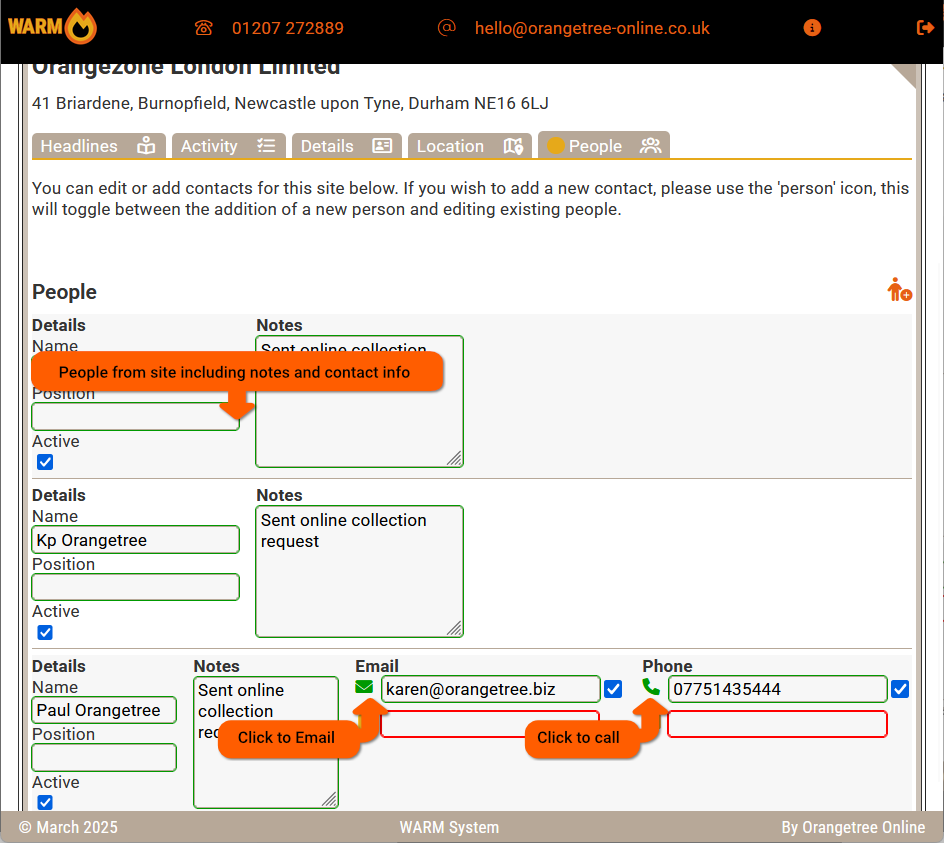
The people pane displays a list of people attached to the site with relevent contact details. People can be phoned. emailed or whatsapped from this pane if the relevent functionality is supported.
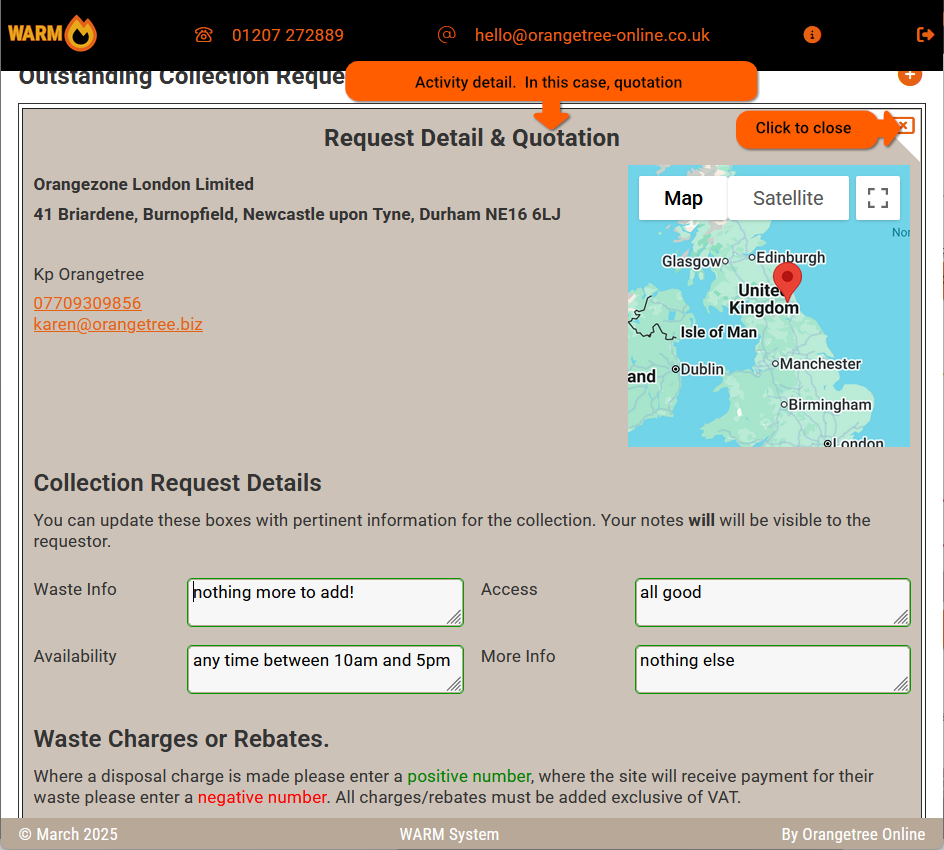
The all important 'Do' pane, in this case completing a quotation for a requested collection.
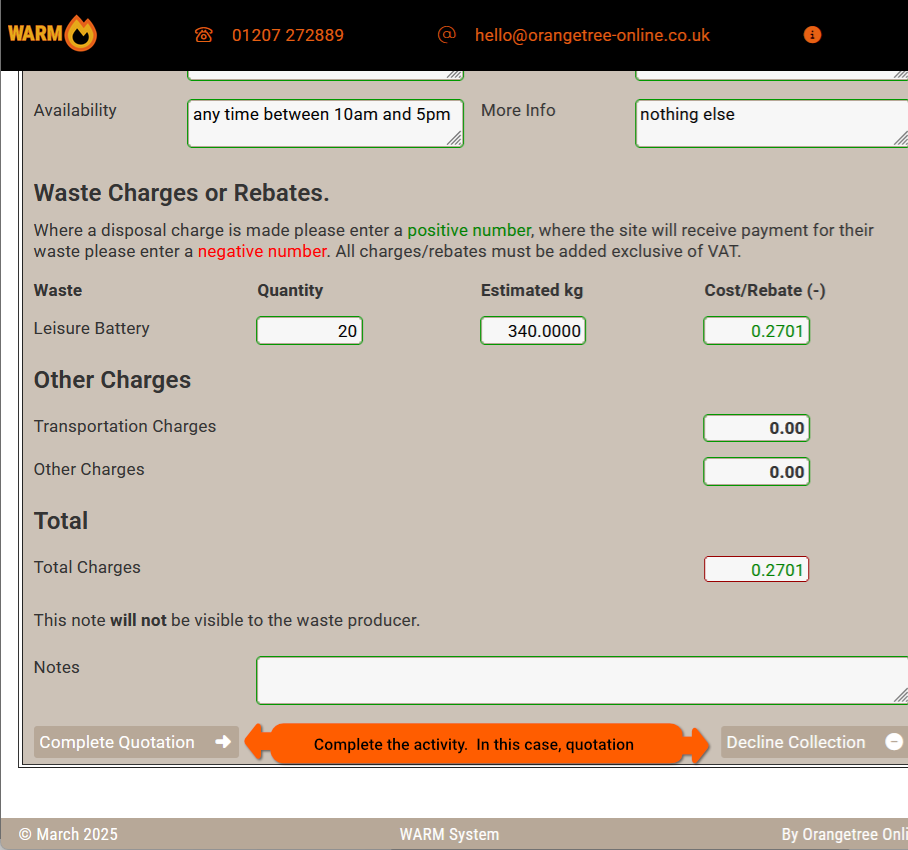
On completion of the quotation the activity status is changed to reflect either the quotation or the declining of the collection. Relevent follow-up activity is automatically raised and the requesting site emailed.